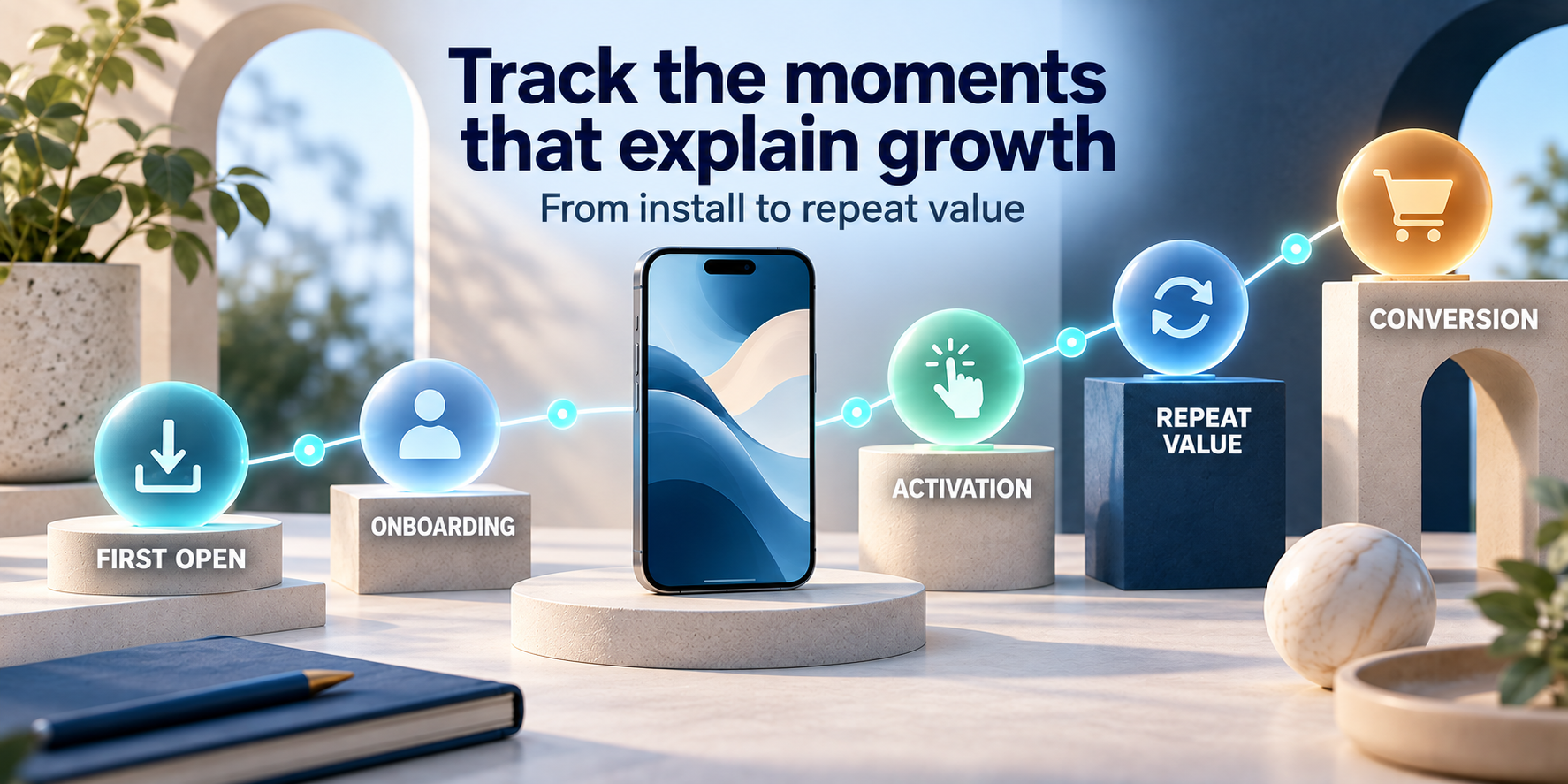
A better starting point is a small event taxonomy built around the app's promise. Track the milestones that show a user moving from discovery to first value, then returning and completing the business action that matters. Add detail only when it helps compare an important segment, diagnose a broken step, or make a product decision.
This guide gives you a practical first version for iOS and Android apps using Firebase Analytics. It is intentionally not a universal list to paste into every codebase. The right event for a language-learning app is different from the right event for a finance app, but the questions and structure are reusable.
Track decisions, not activity
Start with five layers: acquisition, onboarding, activation, repeat value, and conversion. For each event, write the question it answers, the parameters needed to segment it, and the action you will take if the result is weak or strong.
What Firebase Analytics already gives you
Firebase Analytics provides automatic collection for some app interactions and supports recommended and custom events for product-specific behavior. The exact automatic events vary by platform and implementation, so treat them as a useful foundation rather than a complete measurement plan. Read the official Firebase Analytics overview before deciding which events your app must add itself.
Recommended events are named patterns for common behavior, while custom events cover behavior that is unique to your product. Use a recommended event when it represents the action accurately; use a custom event when forcing the action into an unrelated name would make your data harder to understand. Names and parameters should be stable enough that a report remains comparable after the next release.
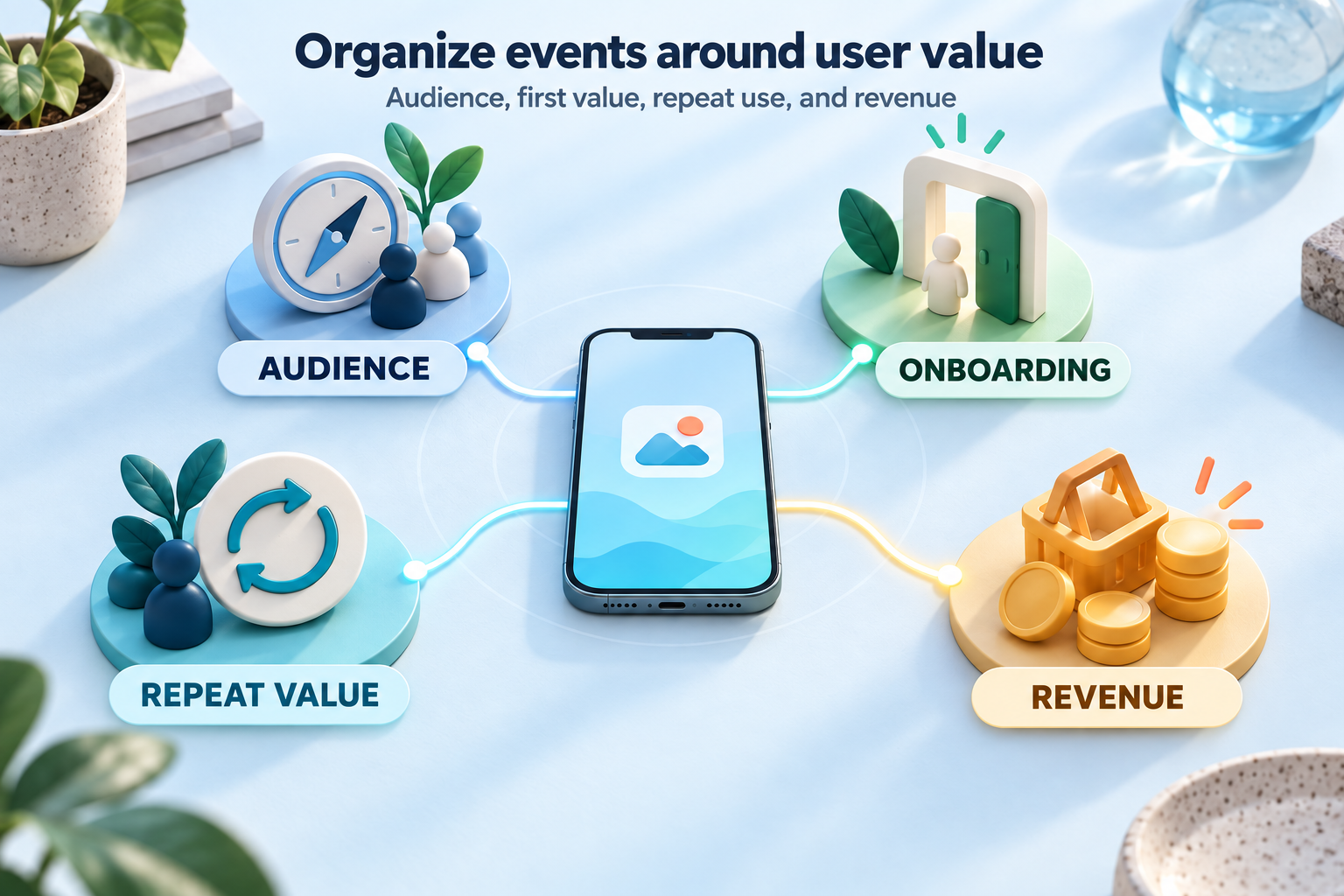
The six event layers worth planning
| Layer | Question | Good starting events | Useful parameters |
|---|---|---|---|
| Acquisition | Where did this user come from? | campaign attribution, first open | source, campaign, app version, store |
| Onboarding | Did the user reach a usable starting state? | onboarding started, onboarding completed | flow version, step count, skipped |
| Activation | Did the user experience the product promise? | first core action, setup completed | feature, content type, time since install |
| Engagement | What meaningful behavior happens in a session? | core action completed, search, save, share | object type, result count, entry point |
| Retention | Does the app solve a recurring need? | return session, repeat core action | cohort, days since first value, plan |
| Monetization | Does value lead to a business outcome? | paywall viewed, trial started, purchase | product id, price, currency, placement |
These layers should not become six dashboards that nobody opens. Use them to make the path explicit. An app may need only one or two events in a layer, and some apps will not have a subscription or purchase step. If a layer does not correspond to a real product question, leave it out until it does.
1. Acquisition: record the origin, not just the install
A first open tells you that the app launched. It does not tell you why the person installed it or which message brought them there. For a promoted app, acquisition context is the difference between "we gained 500 users" and "this campaign brought users who actually reached the core action."
Keep source and campaign values controlled. A short list such as organic search, paid social, creator, referral, and email is easier to analyze than hundreds of slightly different labels. If your attribution setup provides campaign information, use it consistently and document the expected values. Do not put a full URL, ad copy, or arbitrary user-generated text into every event parameter.
Store context that helps you compare acquisition with downstream behavior: app version, store, country or market where relevant, and campaign. The Firebase Analytics reports documentation explains how events can support audiences and reports; the useful question is which acquisition segment reaches value, not which source produces the most shallow activity.
2. Onboarding: measure completion and friction
Onboarding is often a sequence of screens, but screen views are not the same as progress. Track when the flow starts and when the user reaches a usable state. If the flow has a meaningful optional step, record the choice only if it changes what the user can do next or helps you explain a conversion difference.
- onboarding_started: the user entered the flow.
- onboarding_completed: the app has enough setup to deliver its core value.
- onboarding_skipped: only when skipping is a deliberate product path worth comparing.
- permission_result: only for a permission that is essential to a feature and with a non-sensitive outcome such as granted or denied.
Do not label every page as a separate event by default. A funnel with ten screens may look detailed, but it can hide the one step that actually matters. Add step-level events when a step is a known risk, a required integration, or a hypothesis you are actively testing.
3. Activation: define the first meaningful action
Activation is the moment when the user experiences the app's promise, not necessarily when they finish registration. For a notes app it might be saving a first note; for a budgeting app it might be importing an account or creating a first budget; for a fitness app it might be completing a first workout. Your activation event should be close enough to the product's value that it can predict whether a new user will continue.
Write the event definition in plain language before naming it: "A new user has created their first saved budget with at least one category." That definition prevents the event from changing whenever the interface changes. The UI can be redesigned while the meaning of first_value_reached remains stable.
It is useful to keep a time-to-value measure too. You can derive it from the first-open timestamp and activation timestamp, or pass a bounded duration parameter when that is appropriate. Avoid turning every duration into a high-cardinality dimension. Buckets such as under one minute, one to five minutes, and over five minutes are often easier to compare.
What would make this user come back?
If you cannot describe the first meaningful action in one sentence, the event plan is probably too close to the interface. Define the value moment first, then instrument the smallest set of actions that leads to it.
4. Engagement: count meaningful outcomes
Engagement should describe progress or value, not a user's ability to touch the interface. A useful engagement event might be a completed search, a saved item, a report exported, a lesson finished, a message sent, or a workflow completed. The action depends on your product, but the test is the same: would a product manager change a decision after seeing this event move?
Choose parameters that describe the object or context without making the event name dynamic. For example, use one stable event such as content_saved with an item_type parameter rather than separate names such as saved_article, saved_video, and saved_template. Stable names make funnels and comparisons easier to maintain.
Search is a special case. A search event can be useful when it measures a core workflow, but logging the full query may create privacy, security, or data-minimization problems. Consider tracking a query category, result count bucket, or success state instead of the raw text unless there is a documented reason to retain it and the appropriate privacy review.
5. Retention: measure return and repeated value
Retention is not just "the app opened again." It is evidence that the product remains useful. Keep the default Firebase retention reports, then add one repeat-value event that represents the app's recurring job. For a task app it might be a task completed; for a creator tool it might be a project exported; for a travel app it might be an itinerary viewed after planning.
Cohorts matter more than a single blended average. Compare users by first-value date, app version, acquisition source, country, and plan only when those comparisons answer a question and have enough volume to be meaningful. If the sample is small, say so. A change from two users to three users is not a reliable product trend, even if the percentage looks dramatic.
If you need deeper warehouse analysis, review Firebase's BigQuery export documentation. Exporting more data is not automatically better; define the question, retention window, and event contract before building a large reporting pipeline.
6. Monetization: connect value to revenue
Monetization events should make it possible to answer where revenue intent appears and where it is lost. Depending on the app, useful milestones include a paywall view, trial start, subscription start, purchase, renewal, cancellation, or refund. Use Firebase's recommended ecommerce or subscription conventions where they fit, and keep product IDs, currencies, and amounts consistent.
A paywall view is not a purchase. A trial start is not a retained subscriber. Keep these events separate so the funnel does not imply a conversion that did not happen. When a billing provider is the source of truth for payment state, treat analytics as behavioral context and reconcile revenue with the billing system rather than assuming an analytics event is proof of settlement.
Avoid sending payment details, email addresses, or free-form customer notes as parameters. The Firebase event guidance and your own privacy review should determine what belongs in analytics. The event should say what happened and which product context matters, not contain the user's private record.
Where errors and performance belong
A small product-health layer can be useful: for example, a failed import, a sync retry, or a checkout error category. Keep the event bounded and actionable. Do not use Analytics as a replacement for crash diagnostics, stack traces, network traces, or performance monitoring. A custom event saying sync_failed can show frequency and user impact; it cannot replace the technical evidence needed to fix the failure.
Define error categories rather than passing raw exception messages. Categories such as authentication, network, validation, and provider timeout are easier to aggregate and less likely to leak implementation details. Link the analytics event to an internal issue or monitoring signal when the problem is important enough to investigate.
A practical event naming system
An event contract is more important than a clever naming style. Pick lowercase names with a consistent separator, use a verb or outcome that describes what happened, and write down the owner and trigger. A compact event map might look like this:
| Event | When it fires | Parameters | Decision it supports |
|---|---|---|---|
onboarding_completed | Required setup reaches a usable state | flow_version, skipped | Is first-use friction blocking value? |
first_value_reached | User completes the app's first meaningful job | value_type, minutes_to_value | Which sources reach activation? |
core_action_completed | Recurring product job completes | action_type, entry_point | Which workflows create repeat use? |
paywall_viewed | Paywall is visible to the user | placement, plan_id | Where does monetization intent begin? |
trial_started | Provider confirms trial start | product_id, currency | Which acquisition cohorts start trials? |
sync_failed | Sync attempt ends in a known failure category | failure_category, retryable | Is product health blocking retention? |
The names above are illustrative. Do not copy them if your product uses a different vocabulary. What matters is that your team can tell what the event means without opening the implementation, and that the meaning will survive a button rename or navigation redesign.
How to implement and validate the plan
- Write the product question.For example: do users from this campaign reach the first useful action?
- Define the exact trigger.State what must be true before the event fires and whether retries or duplicates are possible.
- Choose a stable name.Prefer one durable outcome name over a name tied to a particular screen or button.
- Keep parameters bounded.Use a small controlled vocabulary and avoid raw personal data or unlimited text.
- Log after the outcome.Fire completion events after the server or local operation succeeds, not when the user merely taps submit.
- Test on a known device.Trigger the event with a repeatable scenario and confirm the parameter values.
- Review the report after release.Check volume, missing steps, duplicates, and whether the event actually changed a decision.
Firebase's DebugView documentation is the right place to verify events during development. DebugView is intended for near-real-time validation, while normal analytics reporting is not an instant event console. Test the complete path, not only whether one event appeared: a duplicated event can make a funnel look healthy while hiding a broken state transition.
Keep a simple event dictionary in your repository or product documentation. Record the owner, trigger, parameters, platform differences, release introduced, and whether the event is used in a critical report or audience. When an event is retired, document the date and replacement instead of silently reusing its name for a new meaning.
Privacy and data minimization are part of the design
Analytics events can become a shadow database if teams send whatever data is convenient. Do not include passwords, payment details, message contents, full URLs containing identifiers, raw email addresses, or sensitive health and financial data in event names or parameters. A user ID should be an approved, non-readable identifier with an appropriate retention and consent policy, not a personal label.
Ask whether each parameter is needed to answer the question. If a country, plan, feature, or bounded content type is enough, do not send the entire object. Review consent requirements, platform disclosures, deletion requests, retention settings, and access controls with the person responsible for privacy at your company. Firebase tooling does not remove your responsibility to decide what should be collected.
Events that usually create more noise than insight
- Every button tap: most taps are implementation detail, not value.
- Dynamic event names: putting an item name or query into the name creates an unmanageable taxonomy.
- Duplicate synonyms:
signup_done,registration_complete, andaccount_createdshould not describe the same trigger without a clear distinction. - Screen views without a question: navigation volume rarely explains why a user succeeded or failed.
- Client-side success before confirmation: a tap or optimistic UI state can overcount completed work.
- Unbounded text parameters: raw searches, error strings, and user-entered labels can create privacy and reporting problems.
A small event list is not a sign that your product is under-instrumented. It is often a sign that the team has agreed on what matters. Add a new event when it answers a new question or separates two outcomes you currently cannot explain.
Connect product analytics with store visibility
In-app events begin after someone opens the app. Store visibility and listing behavior happen before that. If you change the app title, description, screenshots, or other store metadata, keep that change date separate from the analytics release date. Otherwise, a later change in activation can be incorrectly credited to a store experiment, or a ranking change can be treated as evidence of better product retention.
Rank Analyzer Pro is useful for the pre-install side of that measurement loop: track app keyword visibility by store and country, then interpret acquisition and activation in Firebase as a separate part of the same funnel. The product signal is stronger when each stage has its own evidence rather than one dashboard claiming to explain everything.
What unsuccessful data can tell you
A weak event result is not automatically a marketing failure. If acquisition is healthy but onboarding completion is low, the listing may be doing its job while the first-run experience is not. If activation is healthy but repeat use is weak, the product may deliver a one-time benefit or fail to create a reason to return. If trial starts are healthy but paid conversion is low, inspect pricing, plan fit, billing friction, and the difference between trial intent and lasting value.
Missing data has its own meaning. A sudden drop to zero after a release may be an instrumentation regression, an event name change, a consent-state change, or a report delay. Check implementation and DebugView before changing the product. If the data is sparse, report counts and confidence honestly instead of presenting a percentage that looks precise but is based on a handful of users.
FAQ
What events should every mobile app track in Firebase Analytics?
Most apps should start with first open, onboarding completion, the first meaningful action, the main repeat action, and the conversion event that matters to the business. Add events for app-specific value rather than tracking every screen tap.
How many Firebase Analytics events should an app have?
There is no useful universal target. Start with a small taxonomy that answers the product team's current questions, keep event names stable, and add an event only when it will change a decision or help diagnose a meaningful funnel step.
Should I track every button tap in Firebase Analytics?
Usually no. Track a tap when it represents a meaningful intent or outcome, such as starting a trial or completing a core action. A stream of low-value tap events creates noise and makes it harder to identify the behavior that predicts value.
How do I check whether Firebase Analytics events are working?
Use Firebase Analytics DebugView on a test device, trigger the event with known test data, confirm the event name and parameters, then test the surrounding funnel. Remove or disable debug settings before distributing the production build.
Conclusion
The best Firebase Analytics implementation is not the one with the most events. It is the one that lets your team follow a user's path from acquisition to first value, repeat use, and business outcome without guessing what the numbers mean. Start with a small contract, validate it on a real device, and expand only when the next event will answer a real product question.
Before your next promotion or release, use this pre-marketing measurement checklist to record the surrounding context. Then keep store visibility separate with market-specific rank history, so your product and acquisition decisions are grounded in evidence from each stage.