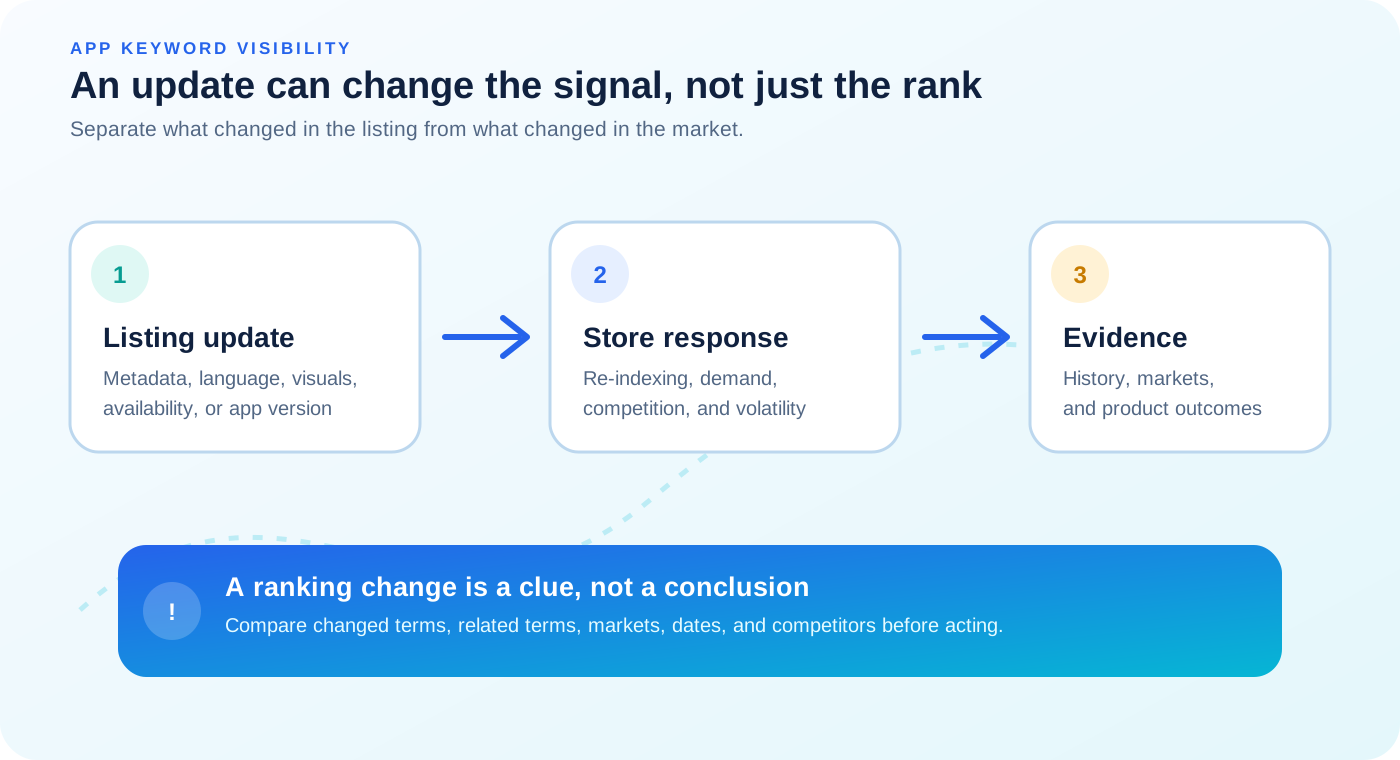
The safest response is not to immediately restore the old title or add more keywords. First define what changed, compare like-for-like observations, and separate search visibility from conversion and product performance. That approach gives you a better chance of learning from the release instead of creating a second uncontrolled change.
The short answer
Rankings can fluctuate after an update because the listing's metadata or localization changed, the app's availability or version state changed, competitors moved, user response changed, or the store is being observed during a volatile period. Treat the first movement as a prompt to investigate. A persistent pattern across comparable checks is stronger evidence than a single number.
First separate three different signals
People often say an update "hurt ASO" when three different outcomes have been combined. Keep them separate so each one gets the right diagnosis.
| Signal | What it tells you | What it cannot prove alone |
|---|---|---|
| Keyword visibility | Where the app was observed for a specific search in a specific market | That the update caused the change |
| Listing response | How people engaged with the product page or installed the app | That a higher rank caused better conversion |
| Product outcome | Downloads, retention, purchases, or revenue after the release | That a keyword position was the only cause |
A rank drop with stronger conversion may be a tradeoff worth reviewing rather than an automatic failure. A stable rank with weaker conversion may point to the icon, screenshots, message, price, or product experience instead of search relevance. Measure the signal that matches the question you are asking.
What can change when you publish an update?
1. Search-facing metadata changes
A new title, subtitle, keyword field, short description, or full description can change the words and concepts associated with an app. Adding a phrase may improve alignment with one intent while weakening the prominence or clarity of another. Removing a term can have the opposite effect. Reordering words can also change how clearly the listing communicates its main category and use case, even when the individual words remain present.
Review the exact before-and-after text, not only a summary of what the team intended to change. Record which terms were added, removed, moved, translated, or made less prominent. Then group your observations into changed terms, related terms, and terms that were not expected to change. This makes it easier to see whether movement is concentrated around the update's hypothesis.
For platform-specific metadata details, use Apple's app information guidance and Google's store listing best practices. These are better references for field rules than assumptions copied from another store.
2. Localization or availability changed
An update may affect one country or language without affecting the whole portfolio. A localized title, subtitle, short description, keyword field, or fallback language can change the context seen in a particular market. Availability settings and release states can also differ by country. In those cases, a country-specific movement does not automatically represent a global change.
Compare the same app and store in at least two relevant markets when possible. Confirm that the listing is available, that the expected localization is active, and that the keyword is being checked in the intended language. If you changed localization deliberately, evaluate it as its own market hypothesis rather than blending it into the global result.
Apple's documentation on localizing App Store information and Google's guide to translating and localizing a Play Store listing explain the platform workflows. Translation alone does not guarantee equivalent search visibility in another market.
3. A new version changed the release context
Teams often publish product changes, metadata changes, visual changes, and availability changes together. If rankings move afterward, you may know that the release is related in time, but not which part produced the movement. A new version can also coincide with processing, staged rollout, or a period in which different users see different release states.
Save the version number, publication time, rollout status, and listing changes in the same change brief. If the app update contained a feature or onboarding change, track product outcomes separately from keyword visibility. Avoid describing every post-release change as an indexing effect when the release contained several independent variables.
4. Competitors changed at the same time
Keyword rankings are relative. Your app can move down even if its listing stayed unchanged because a competitor improved its relevance, entered the market, launched a new version, or became more visible in that country. A seasonal or news-driven app can also become temporarily more relevant for a term.
Check which apps appeared above yours before and after the update. If several apps moved in the same direction, the market may have changed. If only your app moved and the affected terms closely match the edited metadata, your listing deserves a closer review. The competitor app keyword tracker guide explains how to use overlap as context without treating competitor movement as proof of a particular ranking formula.
5. Normal store volatility was captured at a different moment
Store search results are not a fixed spreadsheet. Results can vary with market, platform, query wording, competition, timing, and other conditions. A single check immediately before or after publication can exaggerate the apparent change, especially when the app was already moving within a wide range.
Use repeated observations and a consistent comparison setup. Do not let a fixed waiting rule replace judgment: an availability or policy problem needs immediate attention, while a small movement in one keyword may need more history. Your conclusion should match the strength of the evidence.
How long should you wait before interpreting the change?
There is no universal number of hours or days that makes every app-store update settle. The useful window depends on what changed, which store and countries are involved, how much history you have, and whether the app was already volatile. A short-term check can reveal a possible issue. It should not automatically become the final verdict.
Use two levels of review:
- Early review: confirm that the app is available, the expected listing is live, and the important changed terms are being observed with the correct settings.
- Decision review: compare repeated observations over a consistent window, including related terms, markets, competitors, and product-page outcomes.
If the early review finds a broken listing, missing availability, policy issue, or wrong configuration, fix or investigate it immediately. If it finds only a modest position change, preserve the observation and gather more comparable evidence before publishing another broad edit.
A practical before-and-after workflow
The following workflow is designed to reduce guesswork. It works whether the update was mostly metadata, localization, creative, product functionality, or a mixture of changes.
- Write down the release.Record the version, publication date, rollout state, listing fields changed, markets affected, and other product or marketing changes.
- Preserve the baseline.Save recent observations for the same app, store, country, keyword, date, and search depth. Use more than one observation when history is available.
- Classify the keyword set.Separate terms changed directly, related terms, and terms that were not expected to change.
- Check availability and localization.Confirm the correct listing is live in each market and that the expected language and release state are being measured.
- Compare the result set.Look at competitors above the app and check whether the movement is isolated, market-wide, or visible across several related terms.
- Pair rank history with product data.Review product-page views, conversion, installs, retention, or revenue separately from keyword position.
- Make one decision.Keep the update, revise one hypothesis, or investigate a technical issue. Avoid changing several variables before the next measurement.
| Field | Why it matters |
|---|---|
| App listing | Prevents a comparison with the wrong app or package |
| Store | Keeps App Store and Google Play observations separate |
| Country | Preserves the market context behind the result |
| Exact keyword | Prevents spelling, spacing, language, or plural-form drift |
| Check date and time | Connects movement to the release and to other market events |
| Search depth | Distinguishes an observed position from a result outside the checked range |
Keep the comparison fields attached
If repeating this process manually becomes difficult, Rank Analyzer Pro can keep app keyword observations connected to the store, country, date, history, and competitor context. The value is not another isolated rank number; it is a more consistent record for deciding what changed.
See the tracking workflowHow to read common post-update patterns
Patterns are more useful than isolated wins or losses. Use the table below as a starting hypothesis, not as a way to assign certainty to a complex store system.
| Observed pattern | Consistent with | Check next |
|---|---|---|
| Changed terms move, related terms stay similar | A metadata or relevance effect concentrated around the hypothesis | Review the exact old and new listing text |
| Every tracked term moves in one market | Availability, localization, release state, local competition, or measurement context | Verify the market and compare another country |
| Your app moves down while rivals move up | Relative competitive pressure | Compare the apps now above your listing |
| Rank moves but product-page conversion improves | A visibility and conversion tradeoff or unrelated product change | Review the full funnel before rolling back |
| One check changes and then returns | Normal volatility or a temporary observation issue | Repeat with the same app, market, keyword, and depth |
| The app becomes not observed after the release | Search-depth limit, availability issue, or a real visibility decline | Confirm setup and search depth before changing metadata |
Use platform analytics to answer the next question
Rank history tells you about observed visibility for a query. It does not replace platform analytics. After a listing or product update, use the native reporting tools to understand product-page views, conversion, installs, engagement, and revenue where those metrics are available.
Apple provides App Store Connect Analytics for product-page and app performance analysis. Google Play provides store listing experiments for eligible listing variants. These tools answer different questions from keyword rank history, so use them together rather than treating any one metric as proof of causation.
For a wider measurement framework, read how to measure ASO changes after updating an app listing. If the movement appears only in one country, compare it with why app keyword rankings differ by country before treating it as a global listing problem.
What not to do after a ranking drop
- Do not roll back the entire listing because of one isolated position.
- Do not add every related keyword at once to compensate for a short-term decline.
- Do not compare different stores or countries as if they were one result.
- Do not treat a result outside the checked search depth as proof of zero visibility.
- Do not ignore availability, localization, release status, or competitor changes.
- Do not change metadata, creative, pricing, and onboarding together if you want to learn what caused the next movement.
A careful process may feel slower than reacting immediately, but it protects the value of every update. The goal is not to make the rank number look better for one check. The goal is to understand whether the app is becoming more visible to the intended audience in the markets that matter.
FAQ
How long do app keyword rankings take to settle after an update?
There is no universal settling time. Use an early check for a directional signal, then compare repeated observations over a consistent window while keeping the same app, store, country, keyword, and search depth. Handle availability or policy problems immediately rather than waiting.
Can an app update make keyword rankings go down?
Yes. A change can alter the words and context associated with the listing, affect localization or availability, coincide with a new version, or change how the app competes for a search. A drop after publication is a signal to investigate, not proof that one field caused it.
Should I change my app listing again after a ranking drop?
Not after one isolated check. First confirm the app, store, country, keyword, date, and search depth, then compare changed terms with related and control terms. Make one evidence-based adjustment at a time if the pattern persists.
Why did rankings change in only one country after an update?
Country-specific movement can reflect localized metadata, app availability, local competition, market vocabulary, or a country-specific release state. Compare the same app and store across markets before treating the change as global.
Conclusion
App keyword rankings can fluctuate after an update because the listing, release context, market, competitors, or measurement conditions changed. Timing helps you form a hypothesis, but it does not replace a baseline and comparable evidence. Record the release, preserve the exact observation scope, compare the right keyword groups, and pair visibility with product analytics before deciding what to change next.
When you need a repeatable record of those observations, track app keyword rankings by store and country while keeping the decision focused on your audience and product goals.